
mParivahan | Parivahan Sewa & Sarathi Parivahan | Driving Licence, Vehicles Information
Get instant access to all transport-related services with the mParivahan app. अब आपके मोबाइल पर ही आसानी से चेक करें Driving Licence, Vehicle RC, e-Challan, और अन्य Parivahan Sewa सुविधाएँ। Whether you want to verify vehicle details, track challans, or manage your driving licence, mParivahan makes it fast, simple, and reliable.
NextGen mParivahan – Your Complete Transport Companion
What is the mParivahan App?
NextGen mParivahan is a smart mobile app that makes all transport services and information accessible instantly. Designed for convenience and transparency, it helps citizens quickly check vehicle and driving license details, verify second-hand cars, and stay updated with RTO notifications.
mParivahan App
Provides access to transport-related services like vehicle info, RC/DL details, e-challan, driving license, and owner search.
|
Field |
Details |
|---|---|
|
App Name |
NextGen mParivahan |
|
Package ID |
com.nic.mparivahan |
|
Developer / Offered By |
National Informatics Centre |
|
Updated On |
Oct 10, 2025 |
|
Version |
2.0.135 |
|
Requires Android |
8.1 and up |
|
Downloads |
50,000,000+ |
|
Category |
Government / Productivity |
|
Content Rating |
Rated for 3+ |
|
App Size |
~36 MB |
|
Current Rating |
~3.2 ★ (690K+ ratings) |
|
Permissions |
23+ (various device & data access) |
|
Official Support Email |
|
|
Official Website |
Is the Virtual DL/RC on mParivahan legally valid?
Yes, according to the Motor Vehicles Act, 1988 and the IT Act, 2000, digital copies of DL and RC stored in mParivahan or DigiLocker are legally equivalent to physical documents and must be accepted by traffic police across India.
Why am I getting “Unable to verify MPIN” or Login errors?
This is often due to server maintenance or local cache issues. Try clearing the app cache in your phone settings or reinstalling the latest NextGen mParivahan version. Ensure your mobile number is the one linked with your RTO records.
Can I apply for a NEW Driving Licence through the app?
No, the app is primarily for viewing and managing existing documents. To apply for a fresh Learner’s or Permanent DL, you must visit the official Parivahan Sewa portal.
What should I do if my vehicle details (RC) are not showing up?
First, ensure you are entering the full Registration Number and the last 5 digits of the Chassis/Engine number correctly. If it still fails, your RTO may not have digitized your old records yet; you may need to visit the RTO to get your data updated in the Vahan database.
How do I pay traffic challans using the app?
Go to the ‘e-Challan’ section in the menu, enter your RC or DL number, and click ‘Get Details’. If there are pending fines, you will see a ‘Pay Now’ button that redirects you to a secure payment gateway.
What You Can Do:
Look up any vehicle registered in India using its registration number.
View full vehicle details: owner, registration date, model, fuel type, insurance, fitness, and more.
Check your own vehicle registration and driving license information.
Verify second-hand cars before buying to avoid fraud.
Special Features:
Virtual RC and DL for easy access.
Secure QR codes for fast verification.
Real-time notifications from RTOs and traffic authorities.
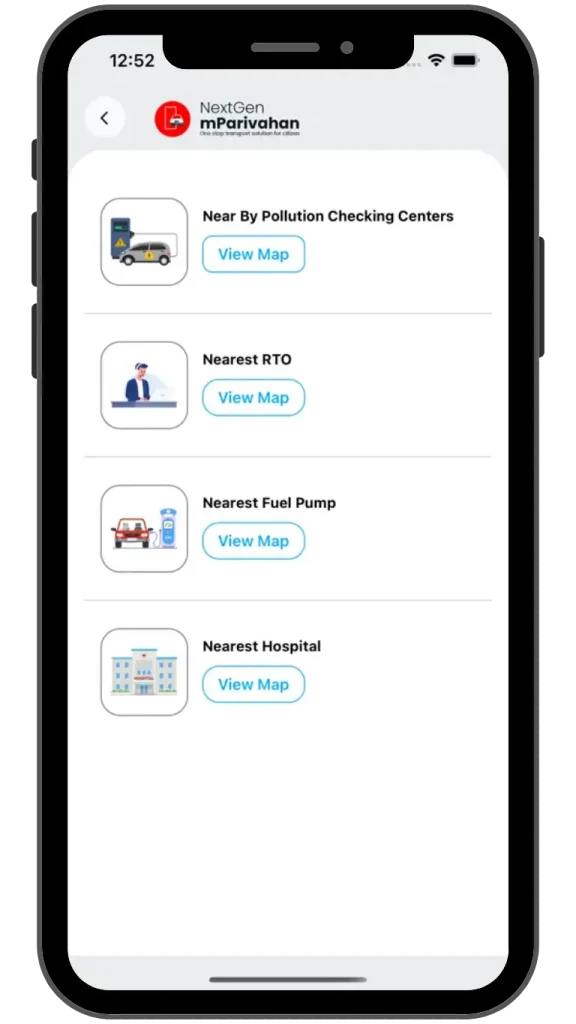
Find nearby RTO and traffic office locations.
Why Use It:
Whether you want to verify a vehicle, check a second-hand car, or manage your driving documents digitally, NextGen mParivahan gives you all the tools in one place safe, simple, and fast.
अपना मोबाइल नंबर अपडेट करें – Update Mobile Number in Vahan & Sarathi Portal
ड्राइविंग लाइसेंस (Driving Licence) धारक और रजिस्टर्ड वाहन (Registered Vehicle) मालिकों से अनुरोध है कि वे Vahan और Sarathi पोर्टल में अपना मोबाइल नंबर अपडेट करें। इससे आपका डाटा हमेशा सही (accurate) और अप-टू-डेट (up-to-date) रहेगा।
अब आप अपने मोबाइल नंबर को ऑनलाइन (Online Mobile Number Update) आसानी से अपडेट कर सकते हैं, और RTO कार्यालय जाने की जरूरत नहीं। यह सुविधा Vahan और Sarathi पोर्टल पर उपलब्ध है।
Vahan QR Code

Sarathi QR Code

Pro Tip:
Once added, your documents will have an encrypted QR Code. Traffic authorities can scan this code to verify your documents even if you don’t have an internet connection at that moment!
How to Download & Set Up mParivahan on Android (Step-by-Step)
Carrying physical documents like your Driving License (DL) or Registration Certificate (RC) can be a hassle and losing them is even worse. The NextGen mParivahan app, developed by the Government of India, allows you to carry digital, legally valid versions of these documents right on your smartphone.
Follow these simple guide to getting it running on your Android device in minutes.
Step 1: Download from the Google Play Store
- Open the Google Play Store app on your Android phone.
- In the search bar at the top, type “mParivahan” or “NextGen mParivahan.”
- Or visit this link: https://play.google.com/store/apps/details?id=com.nic.mparivahan&hl=en
- Look for the app developed by NIC eGov (it should have the official Government of India logo).
- Tap the Install button.
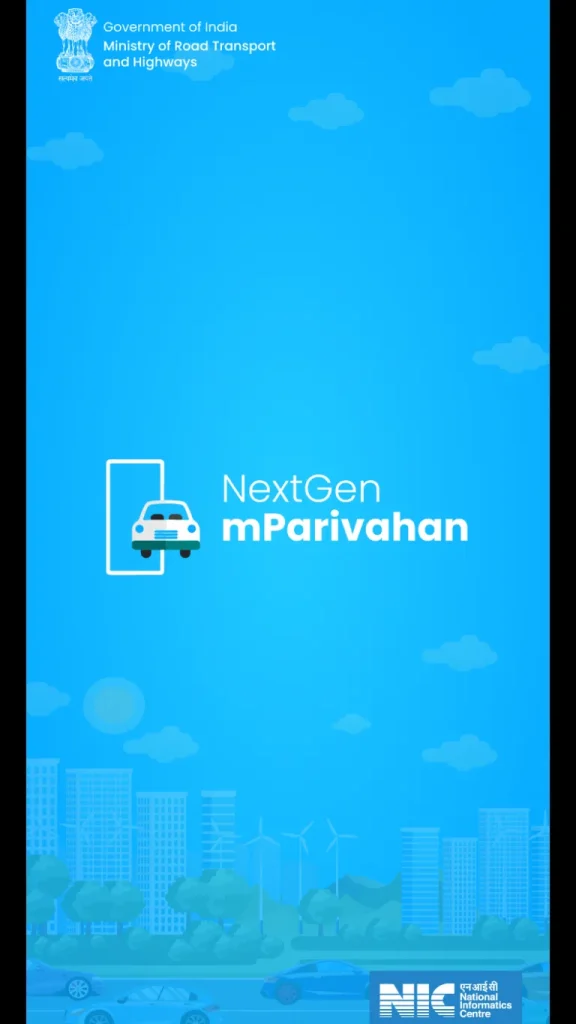
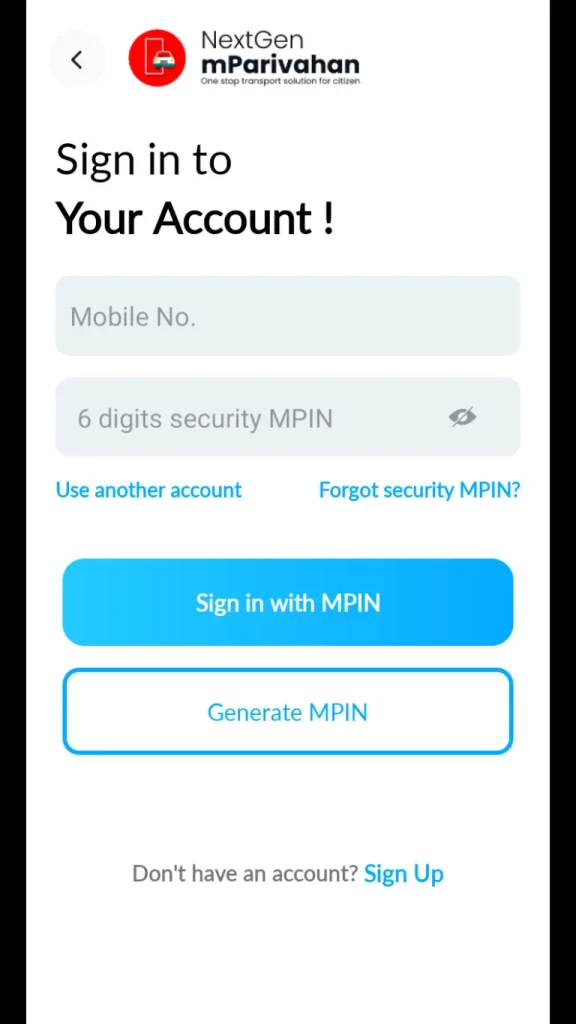
Step 2: Initial App Setup
- Once installed, tap Open.
- Choose your preferred Language (English, Hindi, and several regional languages are available).
- Read through the introductory slides and tap “Skip” or “Next.”
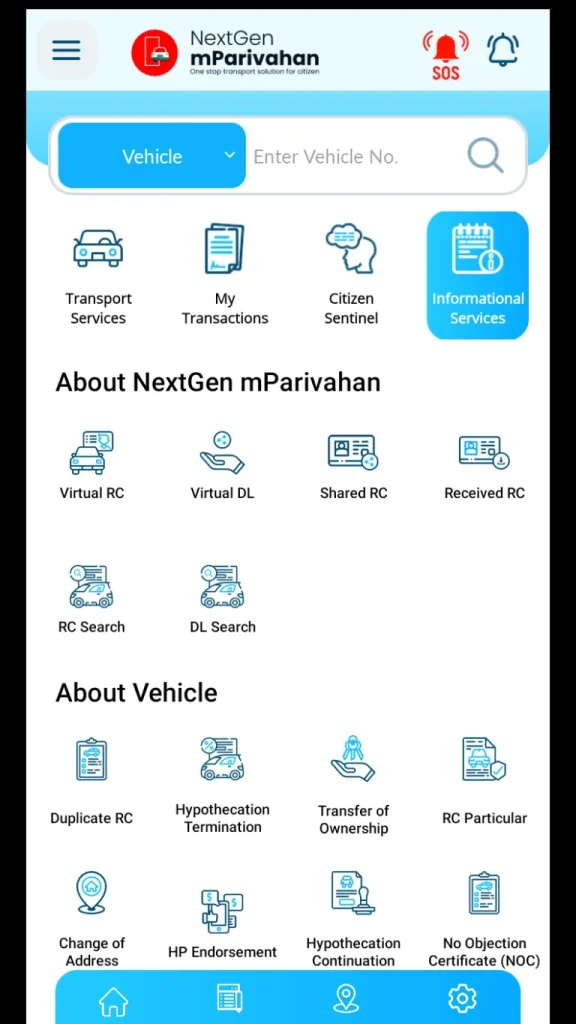
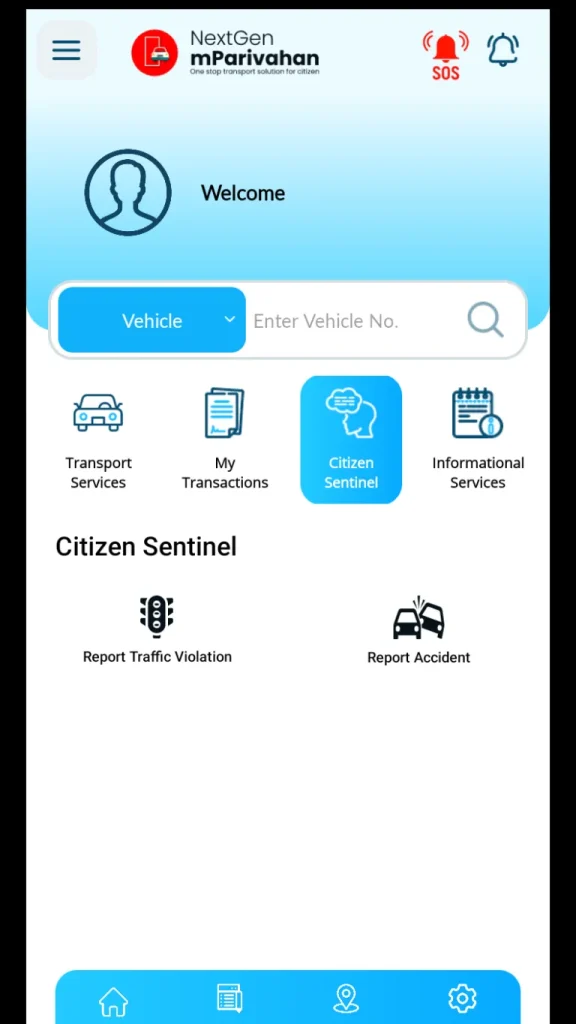
Step 3: Register Your Account
To access your documents, you need a quick account:
- Tap the Sign In or Sign Up button on the home screen.
- Enter your Mobile Number.
- You will receive a 6-digit OTP (One-Time Password) via SMS. Enter it to verify.
- Set up a 6-digit MPIN. You’ll use this secret code to log in quickly next time.
Step 4: Adding Your Virtual Documents
Now for the most important part getting your digital RC and DL.
| To Add Your RC (Vehicle Info) | To Add Your DL (License) |
| 1. Select the RC Dashboard tab. | 1. Select the DL Dashboard tab. |
| 2. Enter your Vehicle Number. | 2. Enter your Driving License Number. |
| 3. Click the Search icon. | 3. Click the Search icon. |
| 4. Tap “Add to Dashboard” to verify. | 4. Tap “Add to Dashboard”. |
| 5. Enter the last 5 digits of your Chassis and Engine numbers. | 5. Enter your Date of Birth to verify. |
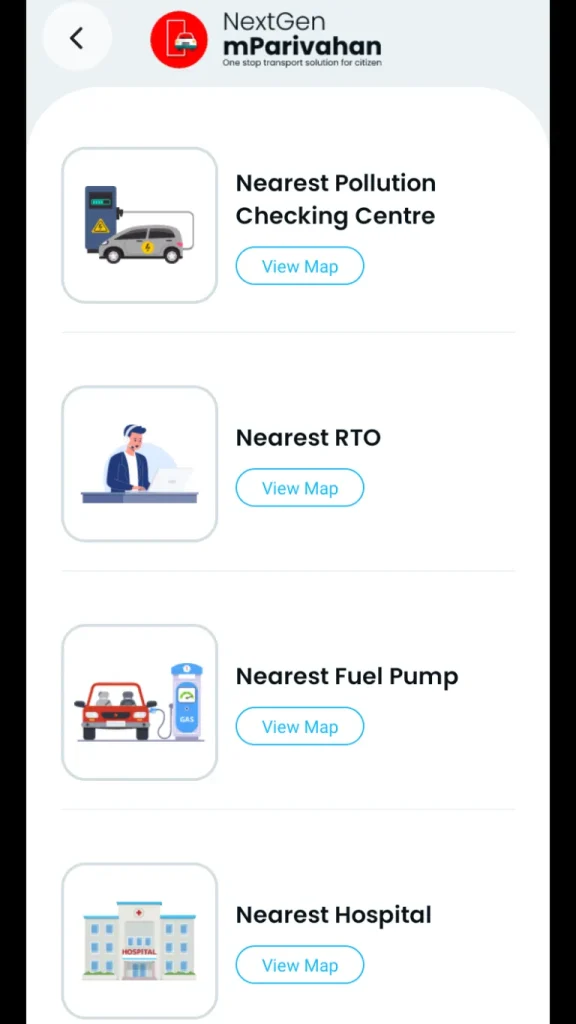
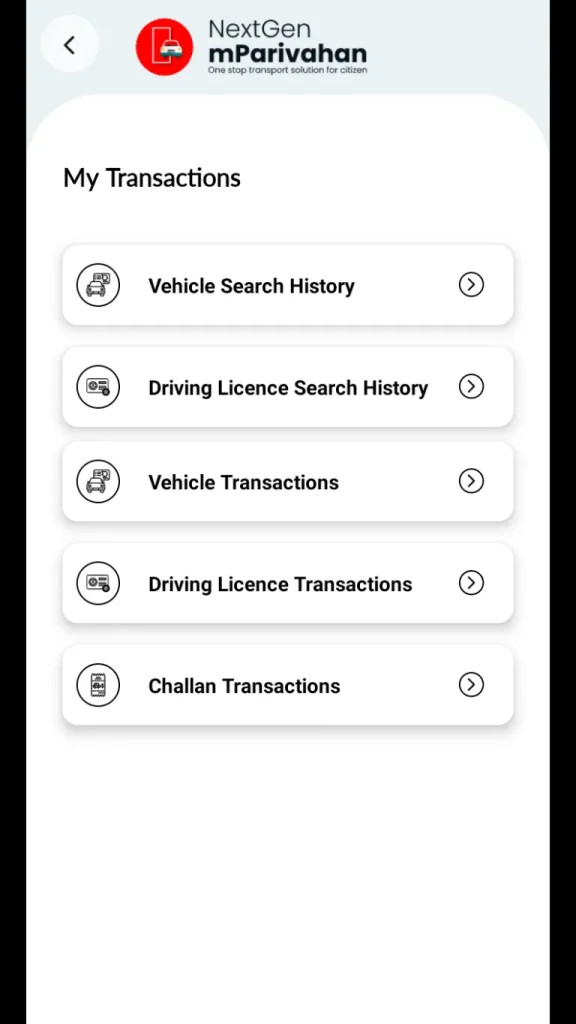
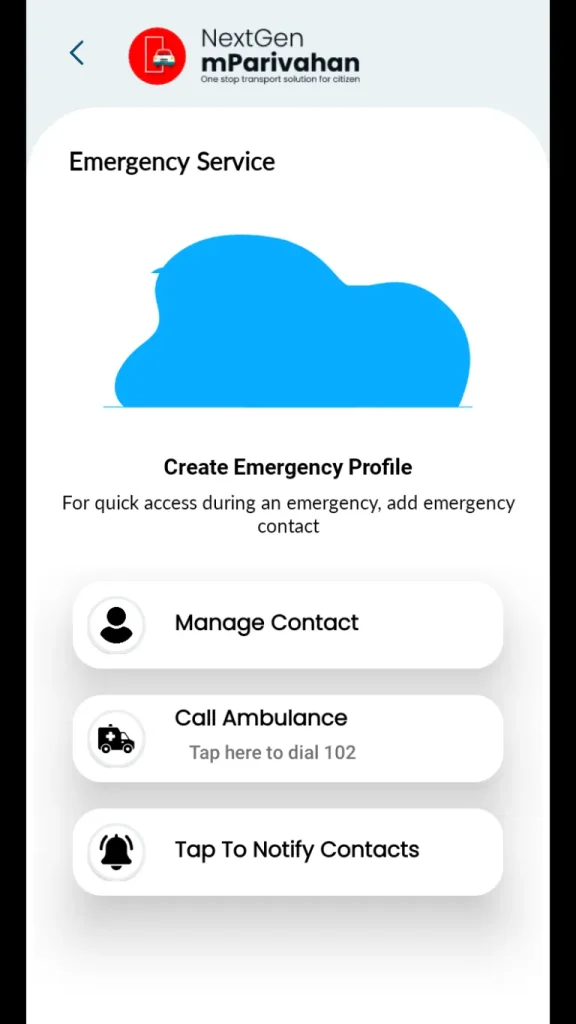
How to Download & Set Up mParivahan on iPhone/iPad (Step-by-Step)
If you are an Apple user, you can also carry your legally valid digital Driving License (DL) and Registration Certificate (RC) on your device. The NextGen mParivahan app is fully optimized for iOS, ensuring your documents are just a tap away.
Step 1: Download from the Apple App Store
- Open the App Store on your iPhone or iPad.
- Tap the Search icon at the bottom right and type “NextGen mParivahan.”
- Or visit this link: https://apps.apple.com/in/app/nextgen-mparivahan/id1450914131
- Look for the app provided by National Informatics Centre (NIC).
- Tap Get (you may need to verify with Face ID, Touch ID, or your Apple ID password).
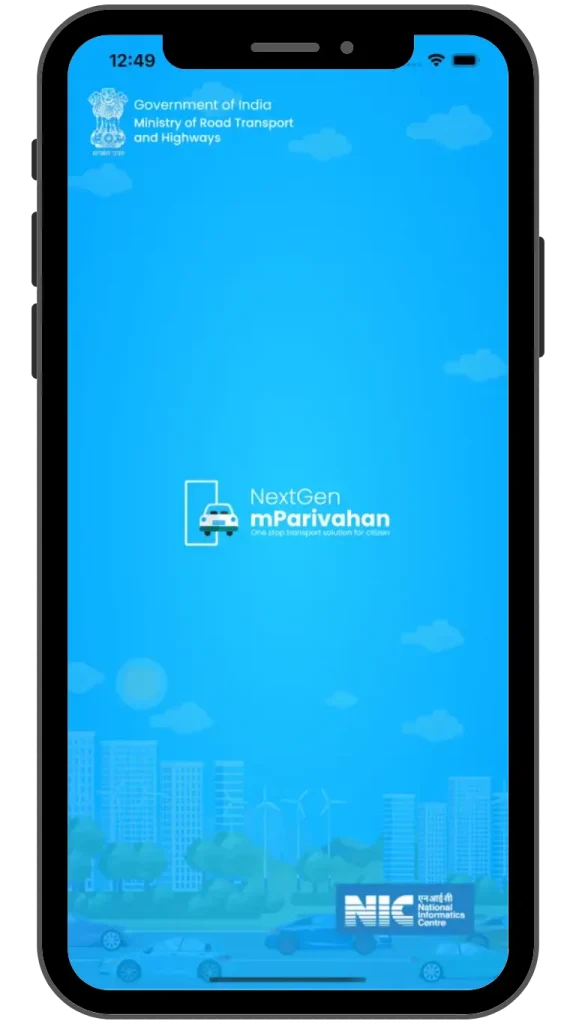
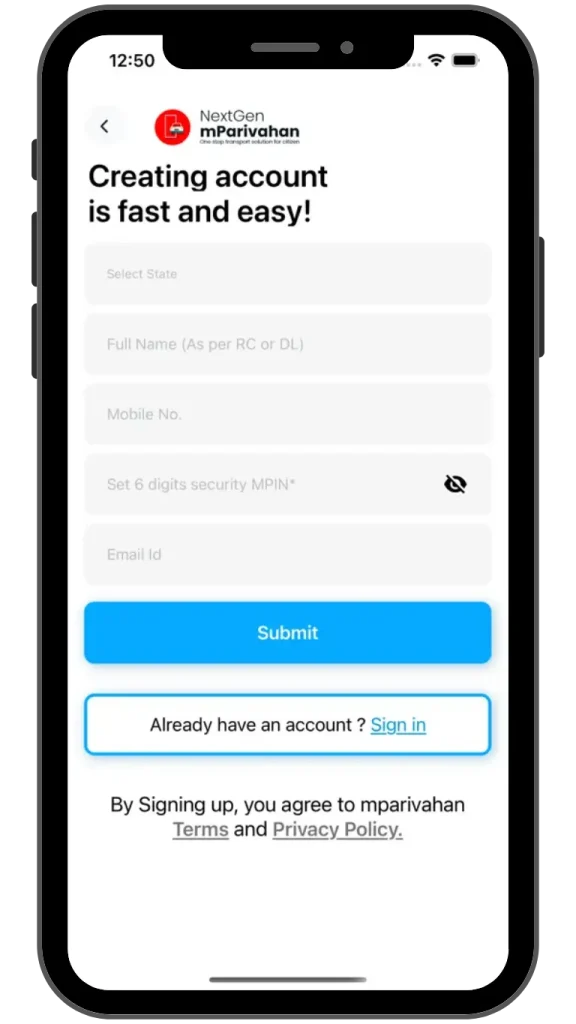
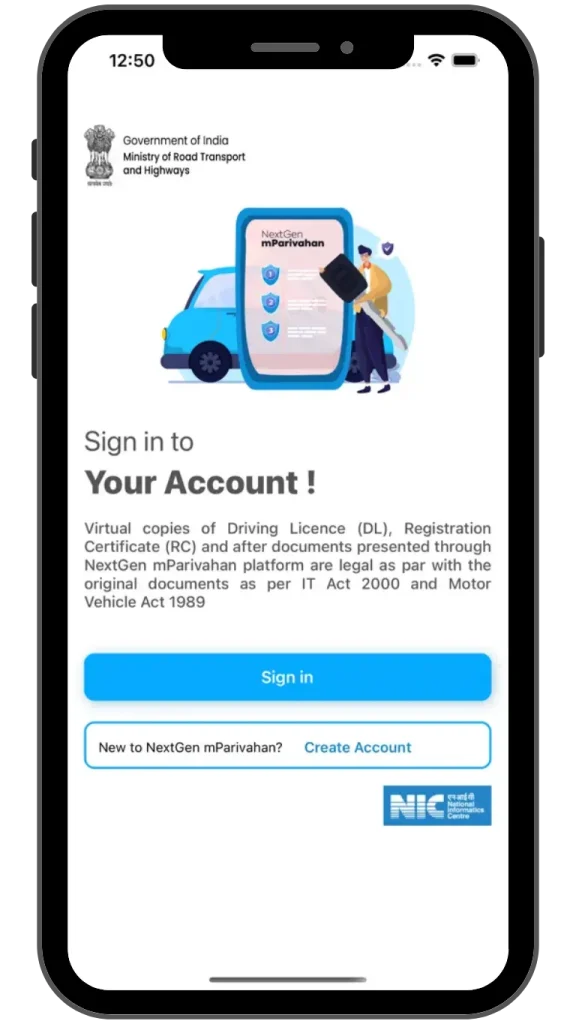
Step 2: Initial App Setup
- Open the app once the download is complete.
- Language Selection: Choose your preferred language (English, Hindi, etc.) and tap Continue.
- Permissions: The app may ask for permission to send notifications. This is helpful for receiving alerts about document expiry or traffic challans.
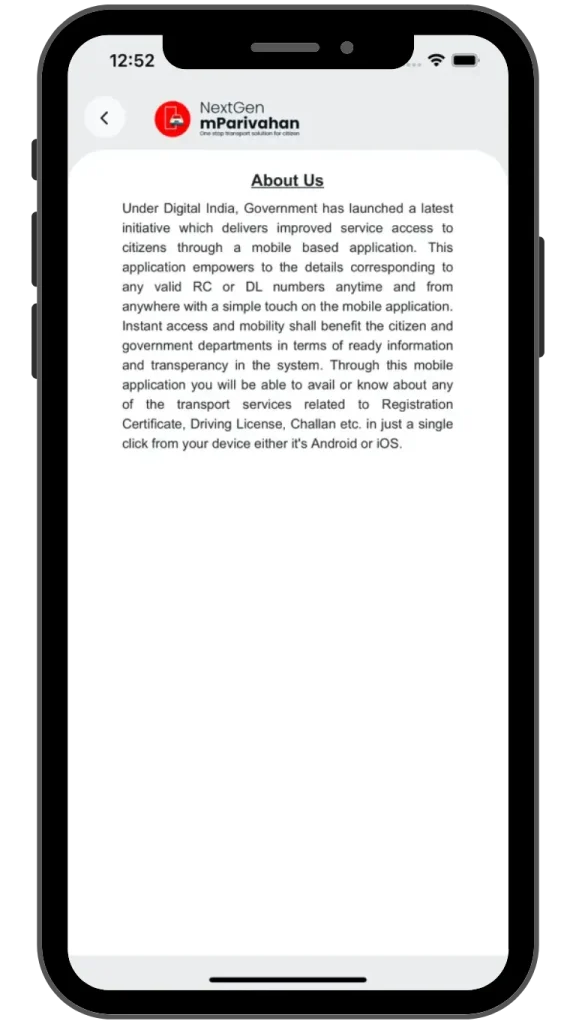
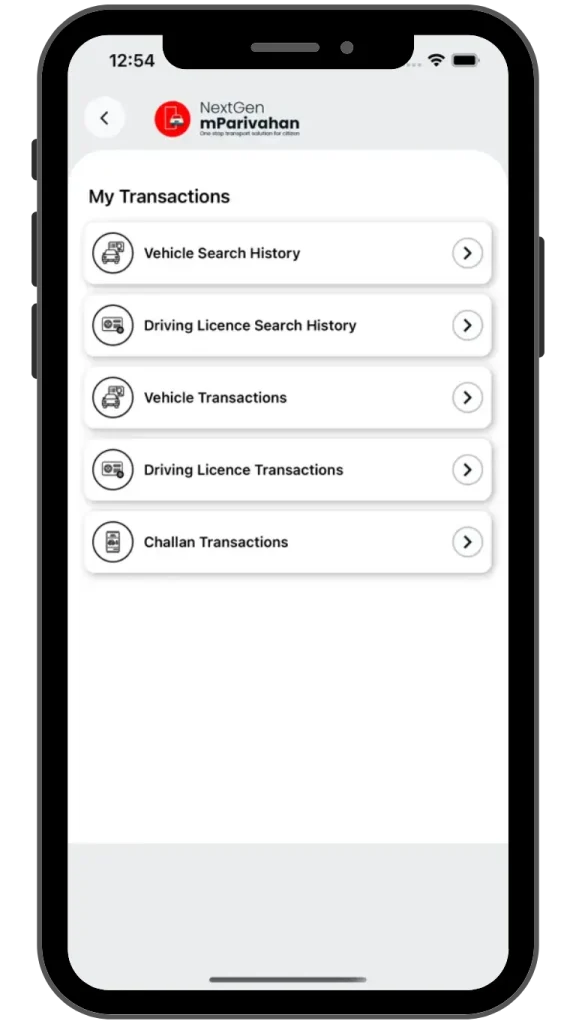
Step 3: Account Registration
- On the home dashboard, tap the Sign In button (usually located in the top menu or center).
- If you don’t have an account, select Sign Up.
- Enter your Mobile Number and accept the Terms & Conditions.
- Enter the OTP sent to your phone.
- Create a 6-digit MPIN. You will use this code to unlock the app securely without needing an OTP every time.
Step 4: Adding Virtual Documents to Your Dashboard
To make your documents “official” for traffic police, you must add them to your virtual dashboard.
| For Virtual RC (Vehicle) | For Virtual DL (License) |
| 1. Tap the RC Dashboard tab. | 1. Tap the DL Dashboard tab. |
| 2. Enter your Vehicle Number (e.g., DL01AB1234). | 2. Enter your Driving License Number. |
| 3. Tap Search and then Add to Dashboard. | 3. Tap Search and then Add to Dashboard. |
| 4. Input the last 5 digits of your Chassis and Engine numbers. | 4. Input your Date of Birth for verification. |
Note for iOS Users: Ensure your iOS is updated to iOS 14.0 or later for the best experience and to use the latest security features like encrypted QR codes.
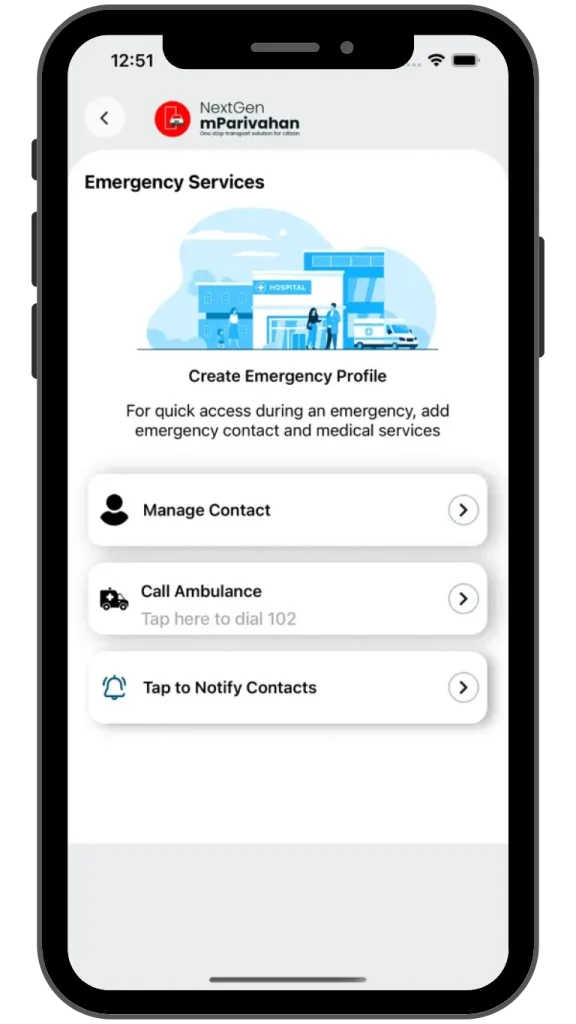
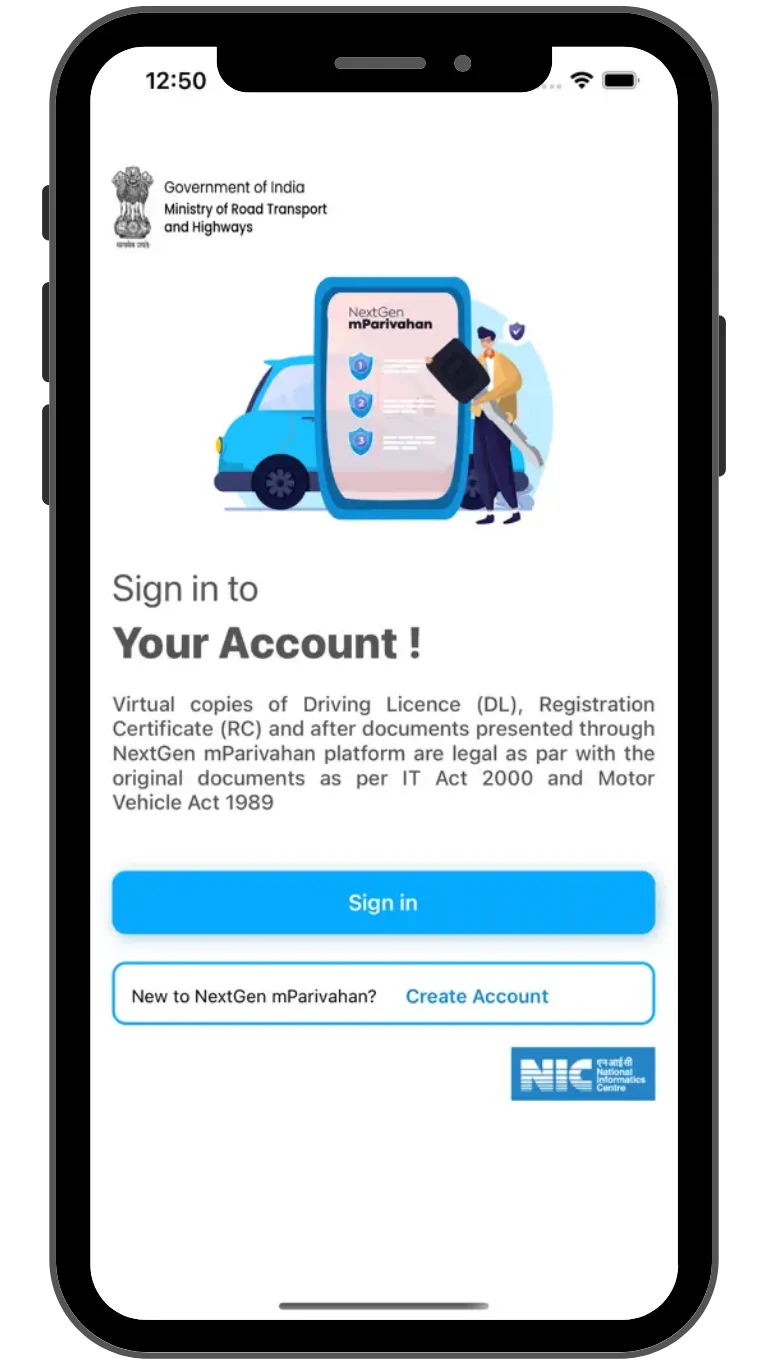
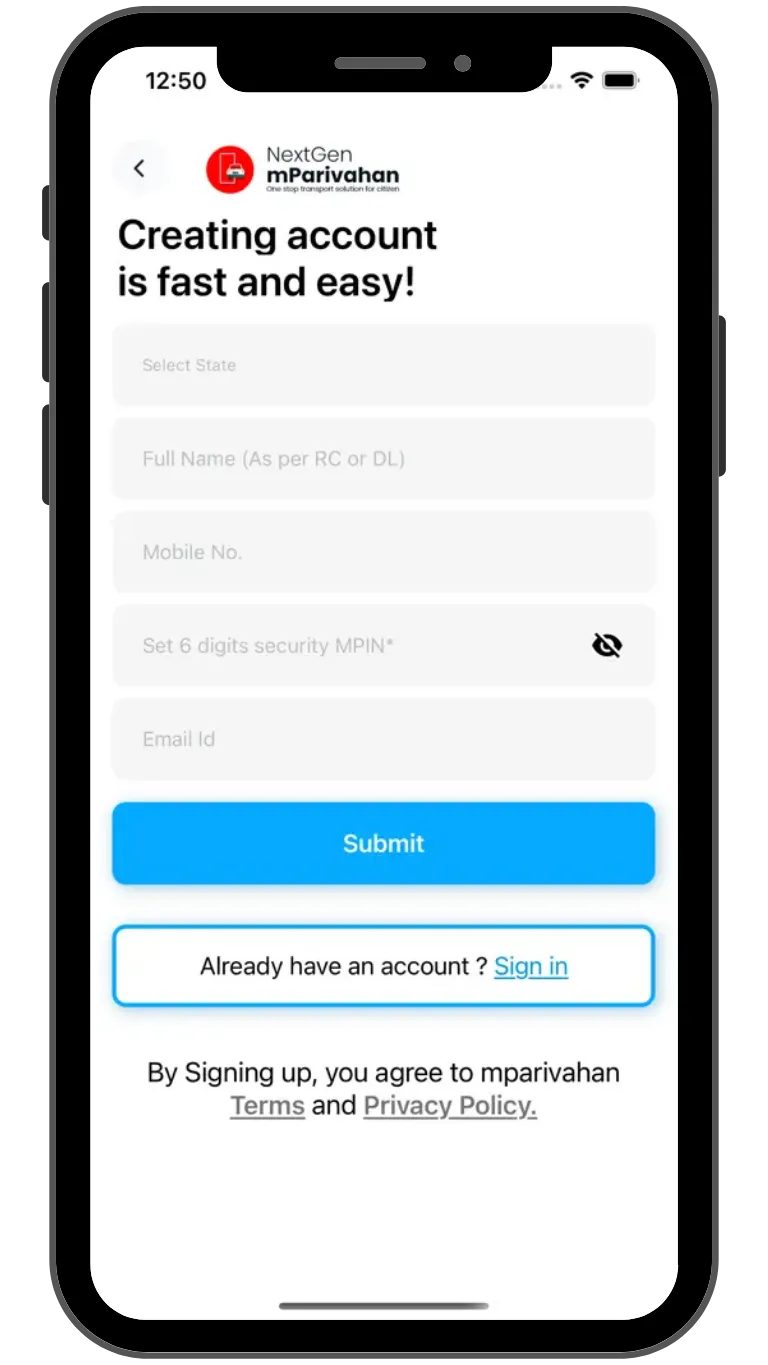
How to Register on the mParivahan App
Download the App – अपने मोबाइल में mParivahan ऐप डाउनलोड करें। यह Android और iOS दोनों पर उपलब्ध है।
Open the App & Choose Language – ऐप खोलें और अपनी पसंदीदा भाषा चुनें, जैसे हिंदी या English।
Enter Mobile Number – अपना मोबाइल नंबर दर्ज करें, जो आपके RTO records से जुड़ा हो।
Verify OTP – आपके नंबर पर OTP आएगा, इसे ऐप में डालकर verify करें।
Fill Personal Details – अपना नाम, जन्मतिथि, और Driving Licence या Vehicle Registration की जानकारी भरें।
Set Password / PIN – सुरक्षा के लिए ऐप में strong password या PIN सेट करें।
Complete Registration – सभी steps पूरा होने के बाद, आपका mParivahan account तैयार है।
Tips for Easy Registration:
- हमेशा अपना latest mobile number अपडेट रखें।
- OTP नहीं आने पर नेटवर्क या app settings चेक करें।
- हमेशा official RTO details ही भरें।
Parivahan Sewa Portal Services
The Parivahan Sewa portal is an official online transport platform managed by the Ministry of Road Transport and Highways (MoRTH). It allows citizens to access RTO services online without visiting the office again and again. From Driving Licence (DL) services to Vehicle Registration (RC) and eChallan payment, everything is available in one place.
1. Driving Licence (DL) Services – Sarathi Parivahan
Through the portal, users can:
- Apply for Learner Licence (LL)
- Apply for Permanent Driving Licence
- Book DL test appointment
- Check DL application status
- Download e-Driving Licence
- Apply for Duplicate DL
- DL renewal (Driving Licence Renewal online)
- Update mobile number in DL
2. Vehicle Registration (RC) Services
Vehicle owners can manage their Registration Certificate (RC) online:
- New vehicle registration
- Duplicate RC apply online
- RC transfer (Ownership transfer / RC Transfer online)
- Address change in RC
- Hypothecation addition / removal
- RC status check
- Download digital RC
You can also verify vehicle details using registration number (gaadi number se details)
3. eChallan Services (Traffic Challan Online)
With the integration of the eChallan Parivahan system, users can:
- Check pending challan by vehicle number
- Pay traffic challan online
- View challan status
- Download challan receipt
This saves time and avoids standing in RTO or traffic office queues.
4. Vehicle Information & Search Services
Users can:
- Check vehicle owner details
- Verify RC validity
- Check vehicle insurance status
- PUC (Pollution Under Control) details
- Fitness certificate details
It is very useful when buying a second-hand vehicle (used car verification online).
5. mParivahan App Integration
The portal is linked with the official mParivahan app, where users can:
- Store digital DL & RC
- Show documents to traffic police
- Access virtual driving licence
- Get transport updates instantly
6. RTO Services & State Transport Details
- Find nearest RTO office
- Check RTO code list state-wise
- Track transport department notices
- Online appointment booking
7. Online Fee Payment & Receipts
- Pay DL fees
- Pay RC fees
- Pay vehicle tax
- Pay fancy number booking fee
- Download payment receipt
Secure digital payment options are available.
8. Fancy / VIP Number Booking
Users can:
- Check availability of special registration numbers
- Participate in auction
- Reserve VIP vehicle number online
9. Application Status Tracking
Track status of:
- Driving Licence
- Learner Licence
- RC Application
- Fancy Number
- Hypothecation request
Real-time status updates reduce confusion.
10. Transparency & Digital Governance
The portal improves:
- Transparency in RTO services
- Paperless documentation
- Faster processing
- Digital India initiative support
The Parivahan Sewa Portal makes transport-related services simple, fast, and online. Whether you want to check DL status, pay eChallan, download RC, or transfer vehicle ownership everything is available in one single government platform.
Digital Driving License
Sarathi Parivahan Sewa Driver License-Related Services
Direct Access to Official 2026 Driving Services
Learner’s License
Apply for a fresh LL, take online mock tests, and book your theory test slot instantly.
Driving License
Ready for the road? Upgrade your LL to a permanent Driving License and book your test.
DL Renewal
Renew your license digitally before it expires to avoid re-tests and heavy fines.
Duplicate DL
Apply for a duplicate license in case of loss, theft, or physical damage to your original card.
Intl. Permit
Get your International Driving Permit (IDP) to legally drive across international borders.
Application Status
Track the real-time status of your application from approval to postal dispatch.
Edit DL Details
Modify your address, change your name, or update mobile number on your current license.
DL Extracts
Obtain official license records for insurance, visa, or employment verification purposes.
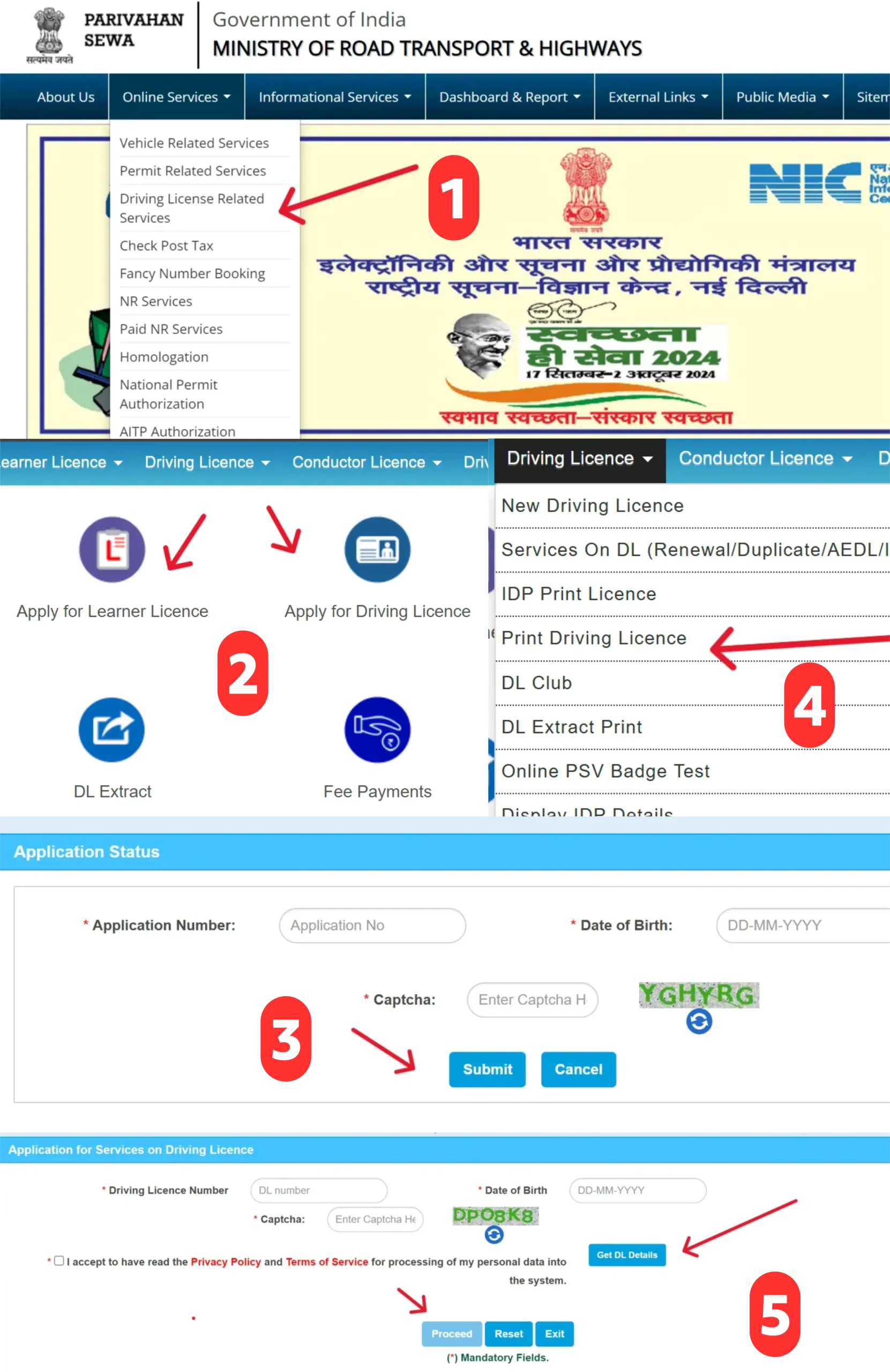
Driving Licence Form
How to Apply for a Driving Licenses in India
1. Eligibility Criteria
Before applying, make sure you meet the following:
- Learner Licence (LL): Minimum age 18 for cars (16 for motorcycles below 50cc).
- Permanent Driving Licence (DL): You must hold a learner licence for at least 30 days and not more than 180 days.
- Must be physically fit and able to drive safely.
2. Documents Required
You will need:
| Document | Purpose |
|---|---|
| Proof of Age (Birth certificate, school certificate, passport, etc.) | To confirm your age eligibility |
| Proof of Address (Aadhar card, voter ID, passport, utility bills, rent agreement, etc.) | To verify residence |
| Learner Licence | Required when applying for permanent DL |
| Passport-sized photographs | Usually 2–3 photos |
| Form 1 & Form 2 | Medical certificate (if required) |
| Fee Payment | As per RTO norms (varies by state) |
3. Apply Online via Parivahan Sewa
- Go to the official portal: https://parivahan.gov.in
- Navigate to “Online Services > Driving Licence Related Services”.
- Select your State RTO.
- Fill Form 4 (Application for Driving Licence).
- Upload required documents and photographs.
- Schedule Driving Test Slot (if applying for permanent DL).
- Pay the application fee online.
- You’ll get an Acknowledgment / Receipt. Keep it safe.
4. Apply Offline at Your Local RTO
- Visit your nearest RTO office.
- Collect Form 4 (DL application) and Form 1 (Medical certificate).
- Submit forms with all necessary documents and fee.
- Take a learner licence test (if applying for LL).
- For permanent DL, schedule a practical driving test.
5. Driving Test
- The RTO will test your:
- Knowledge of traffic rules
- Control over the vehicle
- Parking, reversing, and signaling skills
- On passing the test, your driving licence will be issued.
6. Receiving Your Licence
- After approval, the licence can be collected from RTO or delivered to your address (if your state provides DL by post).
- Learner licence is valid for 6 months; permanent DL has lifetime validity for cars/motorcycles (subject to renewal rules).
7. Tips for First-Time Applicants
- Practice thoroughly with learner licence before the permanent test.
- Carry original documents and copies to avoid delays.
- For hassle-free online services, consider using the mParivahan App.
Driving Licence Mock Test
RTO Question Bank Practice Tool (2026)
Test Completed!
Driving License Fees Structure in India
| Service | Fee (INR) |
|---|---|
| Learner’s Licence (LL) | ₹200 |
| Driving Licence Renewal | ₹200 |
| Permanent Driving Licence (DL) | ₹200 |
| Driving Licence Test | ₹300 |
| International Driving Permit (IDP) | ₹1000 |
| Adding Vehicle Class to DL | ₹500 |
| Duplicate Driving Licence | ₹250 |
| Late Renewal of DL (after grace period) | ₹300 + applicable fees |
Important Documents Required for Duplicate Driving Licence
If your driving licence (DL) is lost, stolen, or damaged, applying for a duplicate driving licence is simple provided you have the right documents ready. Having all the necessary papers ensures a smooth and hassle-free process at the RTO or while applying online via the Sarathi portal.
Here’s what you typically need:
- Application Form (Form DL-1 / DL-1A) – Filled correctly and signed.
- Proof of Identity (POI) – Any government-issued ID like Aadhaar, PAN card, Passport, or Voter ID.
- Proof of Address (POA) – Recent utility bill, Aadhaar, Passport, or rental agreement to verify your current address.
- Police Report (if applicable) – Required if your licence was lost or stolen.
- Driving Licence Copy (if available) – A photocopy can speed up the process.
- Passport-sized Photographs – Usually 2–3 recent photos.
Tips for a smooth application:
- Make sure all documents are valid and legible.
- Keep digital copies handy if applying online through Vahan or Sarathi portals.
- Carry originals during any RTO verification.
By keeping these documents ready, you can get your duplicate DL quickly without repeated trips to the RTO office.
Check eChallan Online – Parivahan Sewa | Vehicle Services & eChallan Services
If you want to check eChallan online, verify your traffic challan status, or access important vehicle services, you can do it easily through the official portal of Parivahan Sewa.
This guide explains everything step-by-step in simple language so every vehicle owner in India can understand the process without confusion.
How to Check eChallan Status Online?
Checking your eChallan status is quick and simple.
Step-by-Step Process:
- Visit the official Parivahan Sewa eChallan portal.
- Click on “Check Challan Status” or “Online eChallan Services.”
- Enter any one of the following:
- Vehicle Number (Gaadi Number / गाड़ी नंबर)
- Driving Licence Number (DL Number / ड्राइविंग लाइसेंस नंबर)
- Challan Number
- Click on Get Details.
You will instantly see:
- Pending traffic challan details
- Fine amount (challan amount)
- Violation type
- Challan issue date
This makes traffic challan online check fast and transparent.
How to Pay eChallan Online?
If your challan is pending, you can complete eChallan payment online directly from the portal.
Available payment methods:
- UPI
- Debit Card / Credit Card
- Net Banking
After successful payment:
- You will receive a digital receipt (payment raseed)
- Download and save it for future reference
Timely payment prevents extra penalty and legal issues.
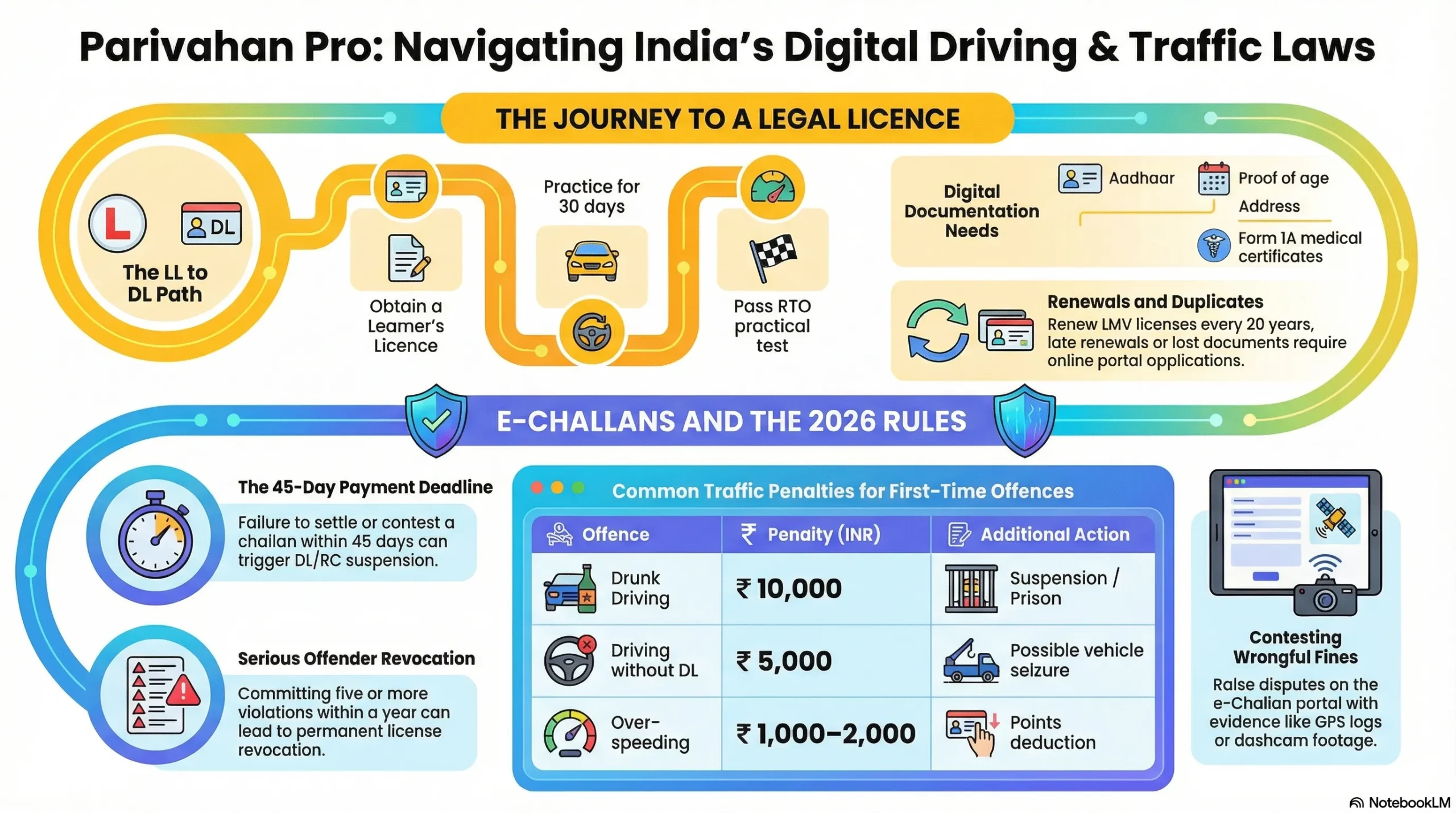
echallan Vehicle Services Available Online
m-Parivahan.co helps you understand how to get your Learner Licence (LL) and Driving Licence (DL) step by step. It also explains e-Challan rules, fines, and the 45-day payment deadline in simple terms. This guide makes it easy to follow traffic rules and avoid penalties in India.
You can access:
- RC Status Check (Registration Certificate Status)
- Driving Licence Status Online
- Duplicate DL Apply Online
- Vehicle Owner Details by Gaadi Number
- Hypothecation Status Check
- Address Change in RC
- Online RTO Appointment Booking
- Driving Licence Renewal
These services reduce the need to visit the RTO office physically.
What to Do If the eChallan Is Wrong?
If you believe a traffic challan was issued incorrectly:
- Check violation details carefully
- Review photo evidence (if available)
- Contact the concerned RTO or traffic police department
- Use the grievance or dispute option
Never ignore a challan. Always verify and resolve it properly.
What Details Are Required for eChallan Check?
You only need basic information:
- Vehicle Registration Number (Gaadi Number)
- DL Number
- Challan Number
No document upload is required unless you are filing a dispute.
Why Regular eChallan Status Check Is Important?
Regularly checking your eChallan online status helps you:
- Avoid heavy late penalties
- Stay legally compliant
- Maintain clean vehicle records
- Prevent driving licence suspension
Whether you are searching for traffic challan status check, Parivahan Sewa vehicle services, eChallan payment online India, or RTO challan details by vehicle number, this system makes the process simple and digital.
List of Regional Transport Offices (RTOs) in India – State & UT Wise RTO Codes & Official Websites
In India, every vehicle owner and driving licence holder is connected to their local Regional Transport Office (RTO). Whether you need a new driving licence, vehicle registration (RC), permit approval, RC renewal, or want to check and pay a traffic challan, the RTO handles it all.
To make things easier for you, below is a complete state-wise and union territory-wise list of RTO codes along with their official transport department websites. This directory helps you quickly find the correct transport authority for online services like RC status check, DL application, vehicle owner details, and more.:
| State/UT | RTO Code | Official Website |
| Andhra Pradesh | AP | www.aptransport.org |
| Arunachal Pradesh | AR | arunachalpradesh.gov.in |
| Assam | AS | transport.assam.gov.in |
| Bihar | BR | state.bihar.gov.in/transport |
| Chhattisgarh | CG | cgtransport.gov.in |
| Goa | GA | www.goa.gov.in/transport |
| Gujarat | GJ | www.rtogujrat.com |
| Haryana | HR | haryanatransport.gov.in |
| Himachal Pradesh | HP | himachal.nic.in/transport |
| Jharkhand | JH | jhtransport.gov.in |
| Karnataka | KA | www.karnatakaone.gov.in/rto |
| Kerala | KL | mvd.kerala.gov.in |
| Madhya Pradesh | MP | www.transport.mp.gov.in |
| Maharashtra | MH | transport.maharashtra.gov.in |
| Manipur | MN | manipur.gov.in/transport |
| Meghalaya | ML | megtransport.gov.in |
| Mizoram | MZ | transport.mizoram.gov.in |
| Nagaland | NL | mvd.nagaland.gov.in |
| Odisha | OD | odishatransport.gov.in |
| Punjab | PB | www.punjabtransport.org |
| Rajasthan | RJ | transport.rajasthan.gov.in |
| Sikkim | SK | sikkim.gov.in/transport |
| Tamil Nadu | TN | www.tnsta.gov.in |
| Telangana | TS | transport.telangana.gov.in |
| Tripura | TR | transport.tripura.gov.in |
| Uttar Pradesh | UP | uptransport.upsdc.gov.in |
| Uttarakhand | UK | transport.uk.gov.in |
| West Bengal | WB | transport.wb.gov.in |
Union Territories Regional Transport Offices (RTOs)
| UT | RTO Code | Official Website |
| Andaman and Nicobar Islands | AN | transport.and.nic.in |
| Chandigarh | CH | chdtransport.gov.in |
| Dadra and Nagar Haveli | DN | ddd.gov.in |
| Daman and Diu | DD | daman.nic.in/rtodaman |
| Delhi | DL | transport.delhi.gov.in |
| Jammu and Kashmir | JK | transport.jk.gov.in |
| Ladakh | LA | ladakh.gov.in |
| Lakshadweep | LD | lakshadweep.gov.in |
| Puducherry | PY | www.transport.py.gov.in |
Vehicle Registration Services in India
Vehicle registration is one of the most important legal processes for every vehicle owner in India. Whether you purchase a new car, bike, scooter, or commercial vehicle, registering it with the government is mandatory under the Ministry of Road Transport and Highways (MoRTH).
In this guide, you’ll understand everything in simple language, from RC (Registration Certificate) to HSRP number plates, online process, penalties, documents required, and official links.

Renewal of Registration
Online Vehicle registration renewal process
Check Now ➜
Transfer of Ownership
Application Process to transfer of ownership of vehicles online
Check Now ➜
National Permit
Verify your Driving License status and details in real-time.
Check Now ➜
Fitness Test
Booking a fitness test, making payments, and much more can all be done online.
Check Now ➜
Fancy Number Allocation
Choosing your favorite vehicle number Check is one of the most important things in life.
Check Now ➜
Duplicate RC
Vehicle registration for Duplicate certificate
Check Now ➜Purpose of Vehicle Registration
Vehicle registration ensures that every vehicle on Indian roads:
- Is legally recorded in the government database
- Has a unique Registration Number (Vehicle Number)
- Is linked to the vehicle owner’s identity
- Pays applicable road tax
- Follows safety and pollution norms
After registration, you receive a Registration Certificate (RC) this is proof that your vehicle is legally registered.
👉 Official Portal: Parivahan Sewa
🔗 Website: https://parivahan.gov.in
Vehicle Form
Types of Vehicle Registration in India
| Type | Meaning | Validity |
|---|---|---|
| Temporary Registration | Given by dealer before permanent number | 30 days |
| Permanent Registration | Final registration by RTO | 15 years (Private Vehicle) |
| Commercial Vehicle Registration | For taxi, truck, bus etc. | As per permit |
| BH Series Registration | Bharat Series for transferable jobs | Valid nationwide |
| Fancy Number Registration | VIP or special number booking | Permanent |
Documents Required for Vehicle Registration
Here are the commonly required documents:
| Document Name | Purpose |
|---|---|
| Form 20 | Application for registration |
| Form 21 | Sale Certificate (from dealer) |
| Form 22 | Roadworthiness Certificate |
| Insurance Certificate | Valid motor insurance proof |
| PUC Certificate | Pollution Under Control certificate |
| Address Proof | Aadhaar, Voter ID, Passport etc. |
| Identity Proof | Aadhaar, PAN, DL |
| Invoice Copy | Vehicle purchase bill |
| Temporary Registration (if any) | For new vehicles |
⚠️ Note: Requirements may slightly vary depending on state RTO.
Vehicle Registration Process
You can register your vehicle either offline at RTO or online via Parivahan Sewa portal.
A. Offline Process at RTO
Steps to follow:
- Visit your local Regional Transport Office (RTO)
- Submit required documents
- Vehicle inspection by RTO officer
- Pay road tax & registration fee
- Biometric verification (if required)
- Receive RC (Smart Card or Digital RC)
👉 You can check your nearest RTO via: https://parivahan.gov.in
B. Online Process via Parivahan Sewa Portal
You can initiate the process online through the official portal of Parivahan Sewa.
Steps:
- Visit https://parivahan.gov.in
- Click on Online Services → Vehicle Related Services
- Select your State
- Fill application details
- Upload documents
- Pay fee online
- Book appointment (if required)
After verification, your RC will be generated digitally and can be accessed via:
- mParivahan App
- DigiLocker
High-Security Registration Plates (HSRP)
HSRP is a tamper-proof number plate made mandatory by the government.
Features of HSRP:
- Chromium-based hologram
- Unique laser-etched code
- Non-removable snap locks
- Reflective material
All vehicles must have HSRP installed.
👉 You can apply via, SIAM HSRP Portal : https://www.siam.in
Vehicle Registration Number Formats in India
Indian vehicle numbers follow this format:
Example: DL 01 AB 1234
| Section | Meaning |
|---|---|
| DL | State Code (Delhi) |
| 01 | RTO Code |
| AB | Series Code |
| 1234 | Unique Number |
Special Registration Numbers (Fancy / VIP Numbers)
If you want a special number like:
- 0001
- 9999
- 1111
- 0786
You can book through the official Fancy Number portal.
👉 Official Website: https://fancy.parivahan.gov.in
Bidding may apply for high-demand numbers.
Penalties for Not Registering a Vehicle
As per Motor Vehicles Act:
| Offense | Penalty |
|---|---|
| Driving without registration | ₹5,000 fine |
| Expired registration | ₹300–₹500 |
| No HSRP | Fine varies by state |
| Fake number plate | Heavy penalty + legal action |
Key Points to Remember
- ✔ Registration is mandatory for all vehicles
- ✔ RC validity is 15 years for private vehicles
- ✔ Renew before expiry to avoid penalties
- ✔ Keep digital RC in mParivahan app
- ✔ Install HSRP number plate
- ✔ Always carry insurance + PUC
Helpful Official Resources
| Service | Official Link |
|---|---|
| Vehicle Services | https://parivahan.gov.in |
| mParivahan App | Google Play & App Store |
| Fancy Number Booking | https://fancy.parivahan.gov.in |
| Ministry Portal | https://morth.nic.in |
Regional Transport Office Support Contact Details
| Contact | Details |
|---|---|
| Vehicle issues | Email: [email protected] |
| Driving License issues | Email: [email protected] |
| General inquiries | Call: +91-120-4925505 |
| App (mParivahan) issues | Email: [email protected] |
| Traffic Fine (eChallan) | Email: [email protected] |
| Website feedback | Email: [email protected] |
Vahan Status – Check Vehicle Registration & RC Details Online
What is Vahan Status?
Vahan Status is an online service under the Ministry of Road Transport and Highways that allows citizens to check vehicle registration (RC) details instantly. Through the Parivahan Sewa portal, users can verify ownership, registration validity, insurance status, and more.
How to Check Vahan Status Online?
Step-by-Step Process to Check Vehicle RC Status
- Visit the official Parivahan portal
- Click on “Know Your Vehicle Details”
- Enter your vehicle registration number
- Complete OTP verification
- View complete Vahan vehicle status online
Details Available in Vahan Vehicle Status
When you check Vahan status online, you can see:
- Owner Name
- Vehicle Registration Date
- RC Validity
- Insurance Details
- PUC Validity
- Vehicle Class & Type
- Fuel Type
- Engine & Chassis Number (partial)
- RTO Information
Benefits of Checking Vahan Status Online
- Instant RC verification
- Avoid fraud while buying second-hand vehicles
- Check insurance expiry date
- Verify vehicle ownership details
- Confirm vehicle fitness status
Vahan Status for Second-Hand Vehicle Buyers
Before purchasing a used vehicle, always verify:
- RC status active or not
- Hypothecation details
- Blacklisted vehicle status
- Accident or challan history
This helps prevent legal and financial problems.
Check Vahan Status via mParivahan App
Users can also check vehicle registration details through the official mParivahan mobile app available for Android and iOS devices.
Vahan Status vs Sarathi Parivahan – What’s the Difference?
- Vahan → Vehicle-related services (RC, registration, ownership)
- Sarathi → Driving licence-related services
Both services are integrated under the Parivahan transport system.
Common Issues While Checking Vahan Status
- Incorrect vehicle number entered
- OTP not received
- Server temporarily unavailable
- Vehicle details not updated in database
Benefits of Parivahan Online
Time-Saving
Skip the RTO queues. Complete your licensing tasks in minutes from your smartphone or PC.
Cost-Effective
Direct government pricing. No hidden agent commissions or middleman brokerage fees.
100% Transparent
Real-time tracking for every stage of your application with instant SMS notifications.
Eco-Friendly
Go paperless. Digital document uploads reduce carbon footprint and physical storage needs.
24/7 Access
The portal never sleeps. Apply for renewals or permits even on holidays and weekends.
Secure Portal
Encrypted transactions directly connected to the National Register (Sarathi) database.
Quick Fixes & Support
Solving common portal hurdles instantly
OTP Not Received?
Ensure your mobile is linked to Aadhaar and check network stability before retrying.
Payment Failure
Don’t panic. Failed amounts are auto-refunded within 7-10 days. Avoid the ‘Refresh’ button.
Document Errors
Keep files between 100KB-2MB in PDF/JPG format to ensure a successful upload.
Portal Downtime
Maintenance usually happens on weekends. Try during non-peak hours (6 AM – 9 AM).